EKS App Slow, CPU Fine? Scale on Splunk Latency with KEDA
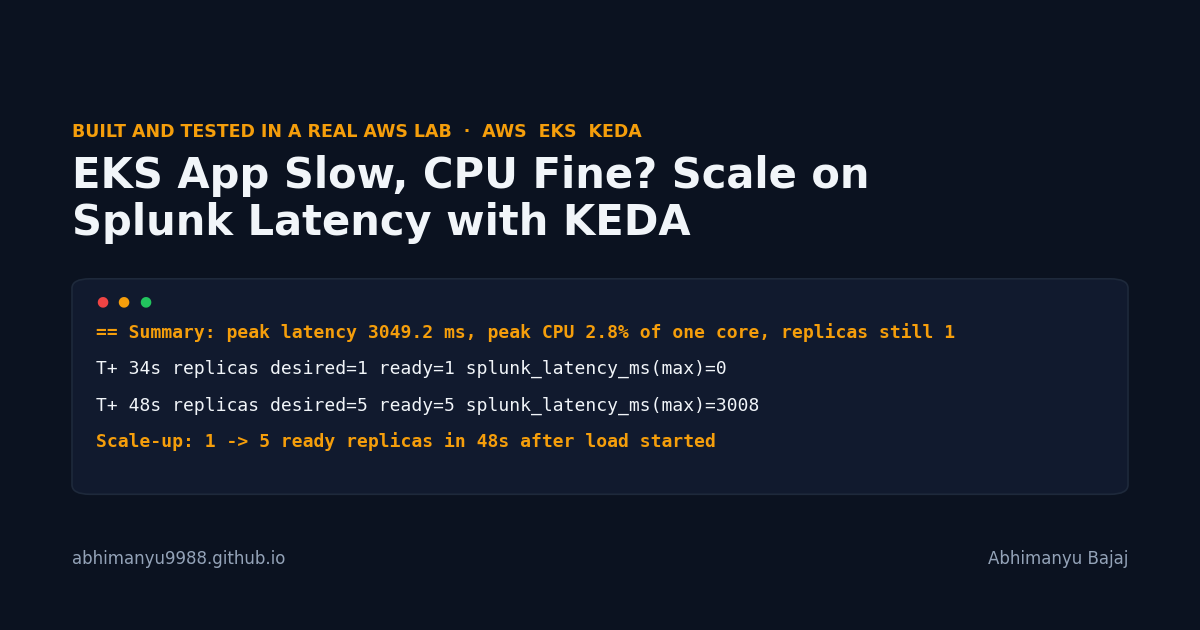
This lab fixes the autoscaling gap CPU HPA misses: users are waiting, but CPU is barely moving.
You will reproduce the failure on an I/O-bound Python service, then use Splunk Observability, the OpenTelemetry Collector, and KEDA to scale on request latency instead. In my run, the app sat at 1 replica with 3049.2 ms peak latency and 2.8% peak CPU, then scaled from 1 to 5 ready replicas in 48 seconds once KEDA read the Splunk latency metric.
I work a lot with the OpenTelemetry Collector in Kubernetes, and I reproduce problems like this in a throwaway AWS account before I write about them.
Here is how it works, and how to build it yourself.
TL;DR
- What you get: an EKS Deployment whose replica count follows request latency, not CPU.
- The trick: the app exposes
app_request_latency_ms, the Splunk OpenTelemetry Collector sends it to Splunk Observability Cloud, and KEDA feeds that value into an HPA.- The proof: before, replicas stayed at
1; after, they went1 -> 5under load and back to1after load stopped.- Time and cost: the README estimates about
40minutes and well under1 USD; my recorded reproduced-and-fixed run took31.3minutes.
Why CPU autoscaling misses this slow EKS service
The app in this lab is intentionally I/O-bound. Each pod has 4 backend slots. Each request holds a slot for 200 ms using sleep, not CPU work. When 60 clients arrive, requests queue inside the service. Users feel latency, but the CPU graph barely moves.
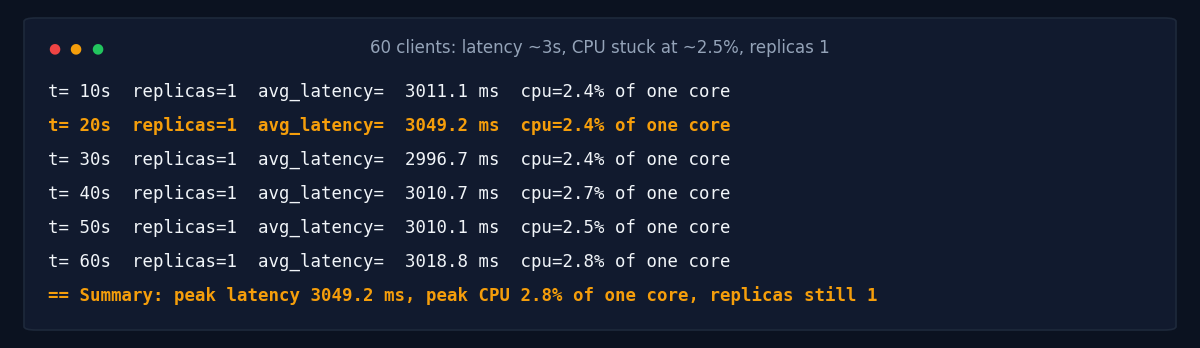
Here is the before state from reproduce.sh:
== Autoscaling objects in the namespace:
No resources found in demo namespace.
NAME          READY   UP-TO-DATE   AVAILABLE   AGE
latency-app   1/1     1            1           7s
...
== Summary: peak latency 3049.2 ms, peak CPU 2.8% of one core, replicas still 1
   Users feel multi-second latency, CPU stays low, nothing scales.
A normal CPU HPA has no useful signal here. The better signal is the one users already feel: request latency.
The trick: let Splunk become the external metric KEDA reads
KEDA makes the scaling decision, but Splunk Observability Cloud is the metric source.
The path is short: the Python app exposes app_request_latency_ms on /metrics, the pod has Prometheus scrape annotations, the Splunk OpenTelemetry Collector sends the metric to Splunk, and KEDA runs a SignalFlow query through the splunk-observability scaler.
This is the key part of the ScaledObject from the lab:
triggers:
  - type: splunk-observability
    metricType: Value
    metadata:
      query: "data('app_request_latency_ms', filter=filter('k8s.cluster.name', '${LAB_NAME}')).max().publish()"
      duration: "40"
      queryAggregator: "max"
      targetValue: "400"
      activationTargetValue: "0"
    authenticationRef:
      name: splunk-observability-auth
fix.sh expands ${LAB_NAME} before applying the manifest. If you paste this into a YAML file yourself, replace it with your cluster name. For your own service, change the metric name, cluster filter, and target value.
Build it yourself in 5 steps
Prerequisites: an AWS account, a Splunk Observability Cloud org, an ingest token, a read-only API token, the matching Splunk realm, and the CLIs used by the scripts: aws, kubectl, helm, jq, curl, and terraform.
Step 1: Create the EKS lab cluster (cluster creation was 6m15s in my run)
This creates a 2-node EKS cluster with self-managed t3.large EC2 nodes in public subnets.
git clone https://github.com/Abhimanyu9988/Abhimanyu9988.github.io.git
cd Abhimanyu9988.github.io/labs/eks-app-slow-cpu-fine-scale-on-splunk-latency-with-keda

export AWS_REGION=eu-central-1
export LAB_NAME=scale-an-eks-app-on-requ-041971
export TF_VAR_lab_name=$LAB_NAME

export SPLUNK_REALM=eu0
export SPLUNK_ACCESS_TOKEN=<splunk-ingest-token>
export SPLUNK_API_TOKEN=<splunk-read-only-api-token>

terraform init && terraform apply
The realm must match your Splunk Observability Cloud org. The ingest token is for the collector. The read-only API token is for KEDA and the proof queries.
Step 2: Reproduce the slow-app, low-CPU state
This deploys the namespace, app, Service, and a load generator with 60 concurrent clients.
Step 3: Install the collector, KEDA, and the Splunk scaler config
The second script installs the Splunk OpenTelemetry Collector chart 0.163.1 and KEDA chart 2.21.0. It also creates the Secret, TriggerAuthentication, and ScaledObject.
bash reproduce.sh
bash fix.sh
fix.sh runs the Helm installs, waits for the collector agent, checks Splunk through the API, applies the KEDA objects, and starts the same load generator again.
Step 4: Check that Splunk has both cluster and app metrics
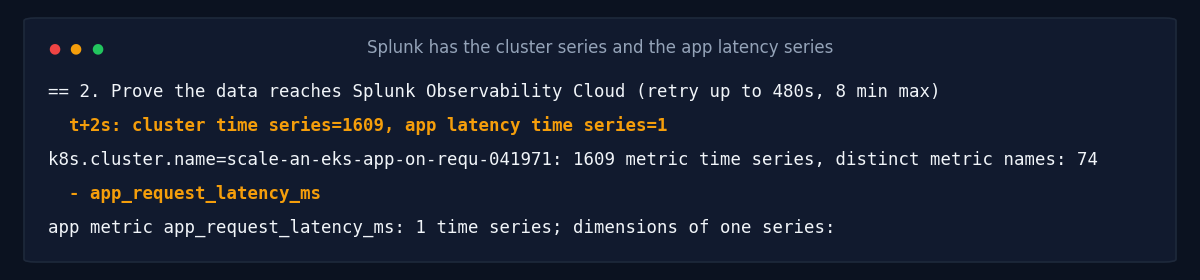
Before scaling, the lab proves that data arrived in Splunk Observability Cloud.
Installed charts:
NAME                  NAMESPACE   REVISION   STATUS     CHART                         APP VERSION
keda                  keda        1          deployed   keda-2.21.0                   2.21.0
splunk-otel-collector splunk      1          deployed   splunk-otel-collector-0.163.1 0.163.1
...
k8s.cluster.name=scale-an-eks-app-on-requ-041971: 1609 metric time series, distinct metric names: 74
app metric app_request_latency_ms: 1 time series; dimensions of one series:
That matters because KEDA is not scraping the pod directly. It asks Splunk for the metric, then exposes that value to Kubernetes as an external metric.
Step 5: Watch the HPA follow the Splunk latency metric
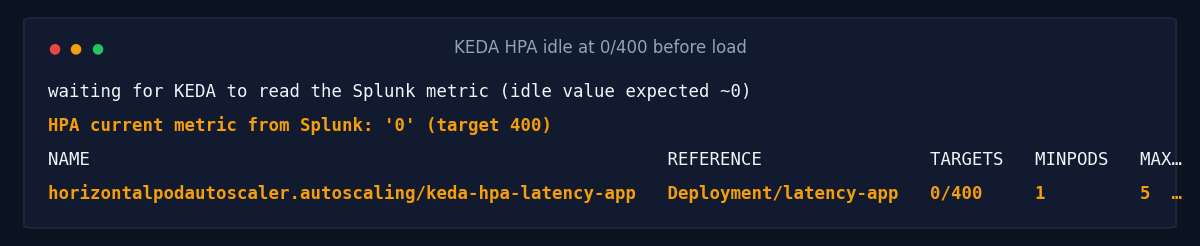
Once the ScaledObject is ready, KEDA creates an HPA. At idle, the metric is 0/400. Under load, the Splunk latency value crosses the target and the HPA raises the replica count.
The timings below come from sampled script output, with about 10 seconds between checks. The query also uses a 40-second window, so the 48s and 72s figures are approximate, and the metric can stay stale briefly after load stops.
The proof: 3-second latency became a 5-pod scale-out
| Stage | Result |
|---|---|
| Before load test | 1 replica, no HPA |
| Before peak latency | 3049.2 ms |
| Before peak CPU | 2.8% of one core |
| Splunk cluster time series found | 1609 |
| Splunk app latency time series found | 1 |
| Scale-up under load | 1 -> 5 ready replicas in 48s |
| Scale-down after load stopped | back to 1 in 72s |
Here is the scale-up section from the lab output:
T+  7s  replicas desired=1 ready=1  splunk_latency_ms(max)=0
T+ 21s  replicas desired=1 ready=1  splunk_latency_ms(max)=0
T+ 34s  replicas desired=1 ready=1  splunk_latency_ms(max)=0
T+ 48s  replicas desired=5 ready=5  splunk_latency_ms(max)=3008
Scale-up: 1 -> 5 ready replicas in 48s after load started
And after the load generator stops:
T+  4s  replicas desired=5 running=5  splunk_latency_ms(max)=3008
T+ 31s  replicas desired=5 running=5  splunk_latency_ms(max)=3008
T+ 58s  replicas desired=5 running=5  splunk_latency_ms(max)=3008
T+ 72s  replicas desired=1 running=1  splunk_latency_ms(max)=0
Summary: 1 -> 5 replicas in 48s under load; back to 1 in 72s after load stopped (driven by Splunk latency, not CPU).
That is the point of the lab: Kubernetes scaled on the symptom users feel, not on a resource that stayed quiet.
Use it for services where CPU is the wrong proxy
- I/O-bound APIs: if your service waits on databases, downstream HTTP calls, or storage, latency may rise long before CPU does.
- Queue-like request handlers: if work piles up inside the process, a latency gauge can be a better scaling input than container CPU.
- Existing observability signals: if Splunk already has the metric, KEDA can turn it into a Kubernetes scaling signal.
For a real service, I would spend most of the time choosing the query and target. The harder question is: what metric means “add pods now” without scaling on noise?
Clean up (the EKS cluster and nodes cost money while they run)
Run the cleanup script first so Helm releases and namespaces are removed, then destroy the AWS infrastructure.
bash cleanup.sh
terraform destroy
The lab cleanup removed the Helm releases and namespaces, and the final destroy removed 18 Terraform resources.
What I did not test
- I did not test scale-to-zero. This lab keeps
minReplicaCount: 1. - I did not compare latency scaling against a CPU HPA on the same Deployment.
- I did not tune the SignalFlow query for production alert quality; I used the lab metric and a
400ms target.
Every file in this lab
Everything above runs from these files. Open any of them to copy it, or clone the repo as shown:
README.mdcleanup.shfix.shk8s/00-namespace.yamlk8s/10-app.yamlk8s/20-loadgen.yamlmain.tfproviders.tfreproduce.shevidence/: the raw output of my run
Sources
Disclosure: I work at Splunk, part of Cisco. This is my personal blog; the post isn’t sponsored or reviewed by my employer.
I built this in a disposable AWS lab. The lab code and raw output are in the repo. Drafted with AI assistance and reviewed by me.